
Controlled from your phone
Open the local control panel on the same WiFi network and update the display without installing an app.

Scores, markets, and weather on a compact WiFi LED display.
Live sports, stock and crypto prices, and weather, set from your phone.
Edge keeps sports scores, stock prices and crypto in view without your phone. It also works as a countdown, weather and clock display.
Open the local control panel on the same WiFi network and update the display without installing an app.
The Edge case is slimmer and sharper, built around the information and smart-display features.
When there is not a game or market glance running, switch to weather, clock, calendar, countdown, or count-up.
Use Edge for live, upcoming, final, and team-record sports views, plus stock, crypto, weather, clock, calendar, countdown, and count-up modes.
Show live, upcoming, final/postgame, and team-record views for supported leagues.
Keep a single stock ticker and crypto ticker available for quick market checks.
Show the current temperature and weather icon in a bright room display.
Use Edge as an everyday clock, calendar, or day-of-week display.
Count down to a trip, event, birthday, launch, or count up from a milestone date.
Choose a mode, set your teams or symbols, and send it to Edge over WiFi.
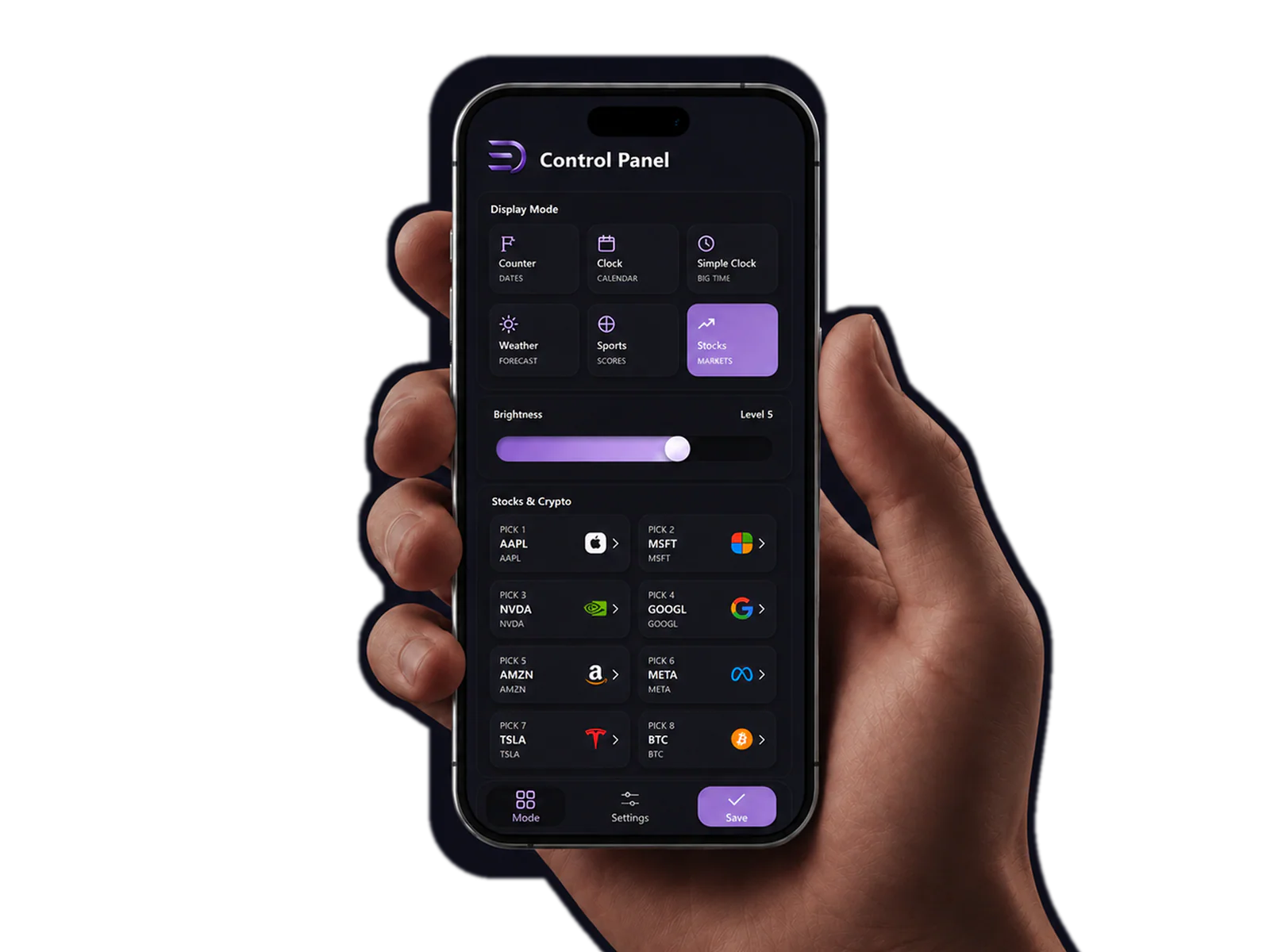
Use the guided setup to connect Edge to WiFi and open its control panel.
Pick the case color that fits the desk, shelf, room, or gift setup.
Power the display, connect it to WiFi, and open the control panel from your phone.
Choose the mode, enter the date, location, team, or market setting, then leave the display visible.
Sports scores (MLB, NFL, NHL, college basketball and football), stock and crypto prices, weather, clocks, calendars, countdowns and count-ups.
Edge adds live sports, stocks and crypto. Aura is the softer decor display for countdowns, weather and the date.
Desks, offices, shelves and game rooms where scores or prices should stay visible.
Edge is $99.99 and back soon. Tap Notify me to get an email when it is available again.
On a desk, shelf, counter or nightstand, anywhere live info should stay in view.
Get one email when LumaGlow Edge is available to order again.